
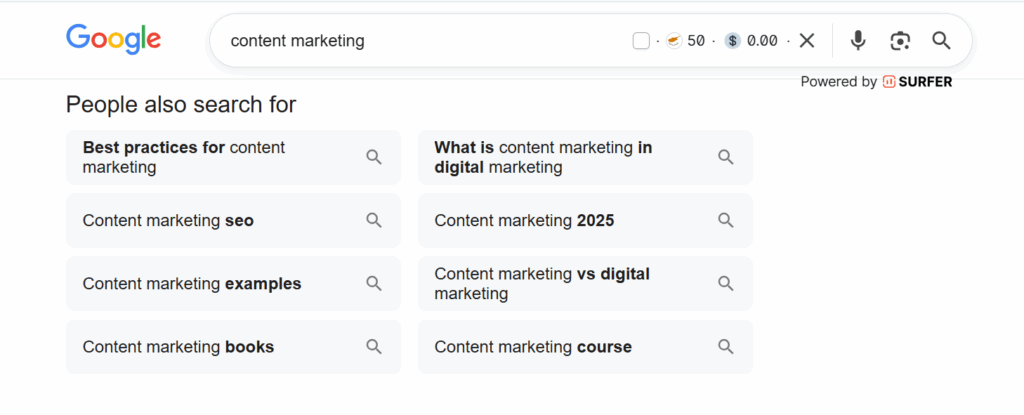
If you’ve spent time exploring Google search results, you’ve likely noticed the People Also Search For (PASF) boxes appearing alongside search listings. This powerful SERP feature can be a goldmine for marketers and SEO beginners looking to uncover related keyword opportunities and better understand user search behavior.
In this guide, we’ll break down what People Also Search For: SEO Tips Every Beginner Should Know entails, how it works, and practical strategies to leverage it for content creation and SEO success.
What is the People Also Search For Feature?
People Also Search For is a Google SERP feature that displays related search queries after a user clicks into a search result and returns to the results page, often using the back button. Google interprets this as the user not finding exactly what they were looking for and attempts to provide alternative queries that could satisfy their intent.
For instance, if someone searches for “content marketing,” they may click on an article and return to Google, triggering the PASF box. Google might then show related searches like:
- “content marketing examples”
- “content marketing strategy”
- “content marketing tools”
This not only helps users refine their searches but also provides marketers with insights into related topics people are actively seeking.
PASF vs. People Also Ask (PAA)
It’s important to differentiate PASF from People Also Ask (PAA). While PASF shows related keywords or queries after a user navigates back to Google, PAA displays questions related to your search query that users frequently ask.
For example, a PAA box for “content marketing” might include questions like:
- “What is content marketing?”
- “How do I start a content marketing strategy?”
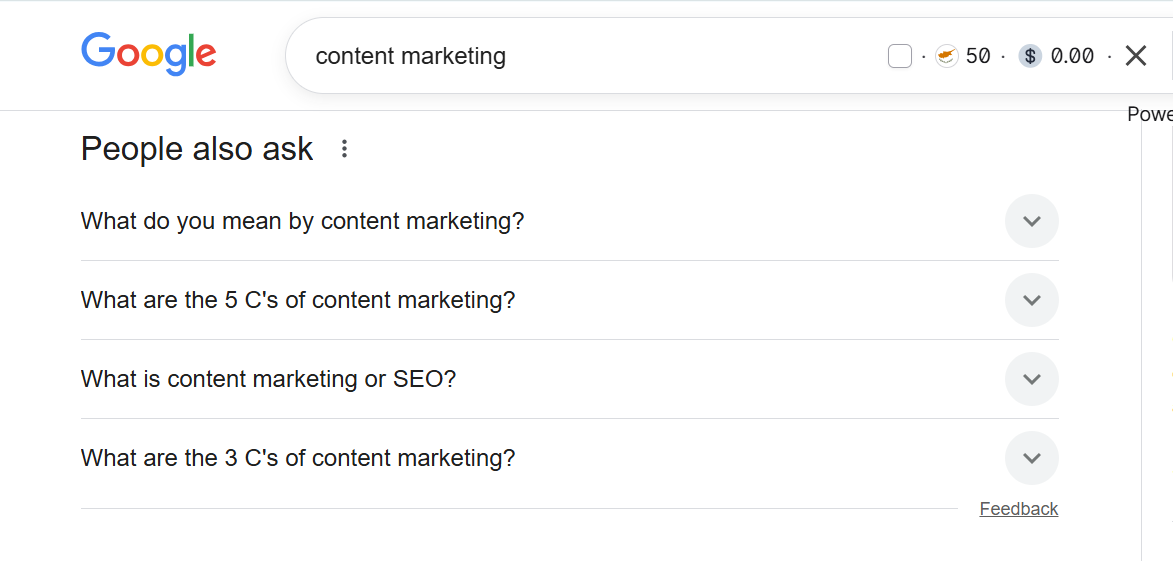
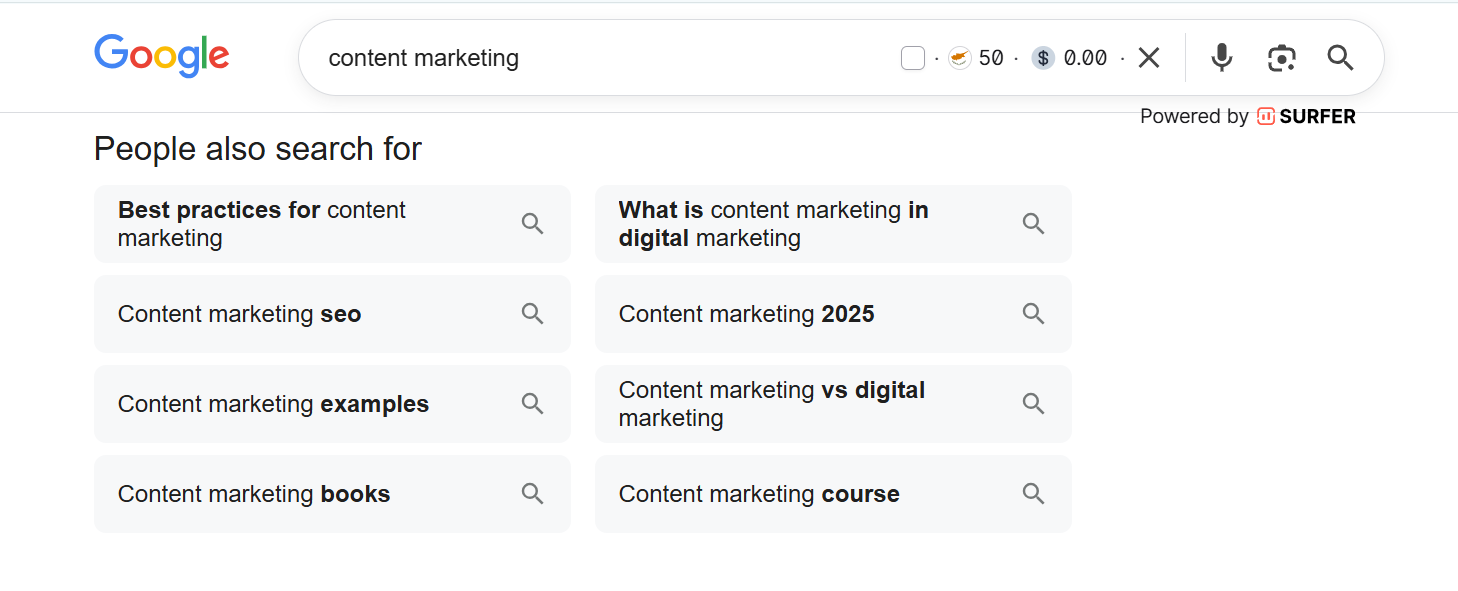
PASF feature specifically provides long-tail keyword opportunities for follow-up searches — a slightly different approach than targeting PAA questions.
Why PASF Matters for SEO Beginners
Understanding PASF is crucial because it helps beginners:
- Discover long-tail keywords that are actively being searched for.
- Understand user intent beyond the primary keyword.
- Expand content strategy by addressing related queries that your target audience may have.
The beauty of PASF is that Google is effectively telling you, in real-time, what searchers want. By optimizing content around these related terms, you improve your chances of appearing in more relevant searches, driving higher-quality traffic to your site.
How to Find PASF Keywords
There are several ways to uncover PASF keywords:
-
Directly in Google: Search for a primary keyword in incognito mode, click on a result, then hit the back button to trigger the PASF box. Scroll to the bottom of the SERP to find related searches.
-
Keyword Research Tools: Tools like Keywords Everywhere or Ahrefs can display PASF or related keywords automatically, saving time and effort.
-
Autocomplete Suggestions: Google’s search bar predicts trending queries in real-time, which can complement PASF keyword ideas.
By regularly analyzing PASF boxes for your niche, beginners can uncover content gaps and identify high-potential keywords.
Strategies to Rank for PASF Keywords
Ranking for PASF keywords isn’t drastically different from ranking for regular keywords, but it requires some strategic considerations:
-
Match Search Intent: Ensure your content satisfies the intent behind the PASF keyword. For example, if the PASF shows “content marketing examples,” create a detailed post with case studies, templates, or step-by-step guides.
-
Optimize Content Structure: Use headers, bullet points, and images to make your content easy to scan and digest. This increases dwell time and improves your chances of ranking.
-
Internal Linking: Connect new PASF-targeted content with other relevant pages on your website to build topical authority.
-
Backlink Building: If the keyword is competitive, acquire backlinks from authoritative sources to strengthen ranking potential.
PASF Statistics You Should Know
PASF is a prevalent feature in Google search results:
- Appears on 58.7% of desktop searches
- Appears on 87% of mobile searches
On mobile, the feature is often labeled as “Related Searches,” while on desktop, it appears both alongside results and at the bottom of the page. This highlights the importance of targeting these keywords to capture a wider audience across devices.
Tools to Simplify PASF Keyword Research
- Keywords Everywhere: Chrome extension that displays related keywords and PASF suggestions directly in the SERP.
- Ahrefs: Offers a comprehensive keyword explorer including PASF data, related questions, and search volume.
- Google SERP Analysis: Manual method to discover PASF terms by simulating real user behavior.
For beginners, combining free tools like Keywords Everywhere with manual SERP checks is often enough to get actionable PASF keyword ideas.
Conclusion
It’s a practical approach for understanding Google search behavior and expanding your content strategy. PASF keywords allow SEO beginners to uncover related search queries, improve search visibility, and better satisfy user intent.
By analyzing PASF boxes, crafting content that meets search intent, and optimizing both on-page and off-page SEO elements, even beginners can start ranking for high-value related keywords. Over time, leveraging PASF can become a cornerstone of an effective SEO strategy.
Remember, Google’s goal is to end a user’s search journey efficiently. By aligning your content with PASF insights, you’re not just optimizing for search engines — you’re providing real value to your audience, which is the ultimate goal of SEO.
